Tukoni Forest Keepers Traveller’s Notebook Guide
Turn the moss-covered Notebook into your soft GPS for Sycamore trades, teas, and winter prep.
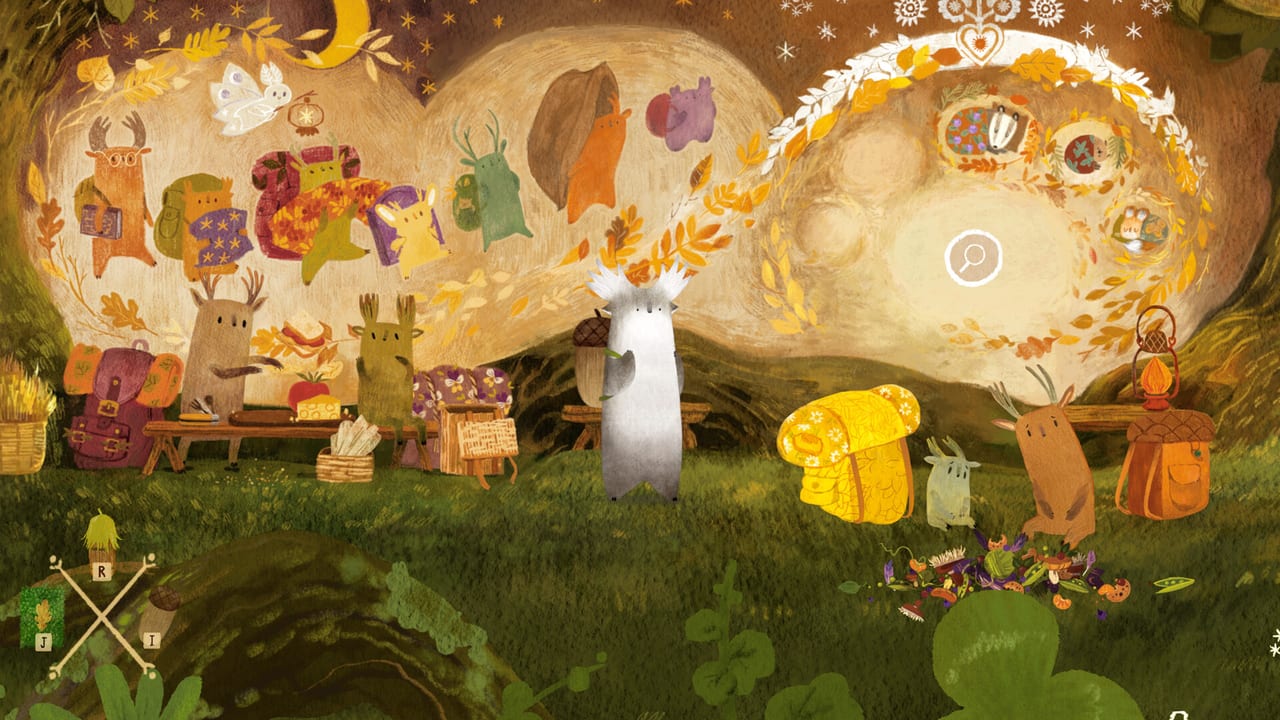
The Notebook is the anti-combat UI
Tukoni: Forest Keepers has no combat, no timers, and no fail states. When players feel lost, they are usually missing a pictogram already captured in Traveller’s moss-covered Notebook. Official copy describes pages filled with sketches and memories that hold “just the clue you need.” This guide teaches when to open it, what kinds of cards appear, and how it pairs with Puzzle Tips and How to Play.
The habit started in Tukoni: Prologue and continues into Forest Keepers: check the book often, especially after helping someone or entering a new nook of Sycamore.
What the Notebook stores
- Task sketches — who wants a lantern, lunch, pillow fluff, or teapot restored.
- Recipe pages — including the Sun Tea trio explained in How to Brew Sun Tea.
- Spatial memories — elevator cues, locked doors marked for the full game, seasonal clock notes for Mushroom Time.
- Progress cards — gentle confirmation that a keeper interaction “counted.”
Because dialogue is animated bubbles rather than paragraphs, the Notebook is your readable layer. If a Steam achievement description feels cryptic, the matching sketch is usually clearer.
When to reopen it (checklist)
- After any successful trade—new arrows often appear.
- Before packing puzzles like Backpacker; shapes in the book hint at awkward item priority.
- Mid tea ritual—keep the recipe page visible while the drawer is open.
- When you hit a fence or “come back later” door—confirm whether the demo intentionally soft-gates full-game areas.
- Before you assume a bug—90% of soft-locks are unread pictograms.
Pair this loop with the Demo Checklist so mechanical tasks and Notebook reviews stay in sync.
Notebook habits that speed up Sycamore
- Two-look rule: glance once when a page updates, then again before leaving the screen.
- Trade triangulation: if two keepers want items, open the book to see which pictogram is incomplete.
- Herb humility: never brew from memory alone; Sun Tea mis-clicks happen when the UI flashes.
- Seasonal patience: Sky Clock / Mushroom Time cues are easy to sprint past—let the Notebook remind you to witness them.
Accessibility and comfort notes
Wordless design helps language learners and kids, but bright tea screens can dazzle. Pause, reopen the Notebook, then resume. Controller and mouse users both benefit—see Controls for switching advice if a packing puzzle feels fiddly.
After August 17, 2026
The full game expands to four locations and ~20 inhabitants. Expect the Notebook to grow denser: more recipes via the Tea Ceremony Box, more winter-prep chores, and—per developer notes—hidden achievements that likely hinge on optional sketches. Keep Release Date and Awards & Wishlists bookmarked for launch context.
Related pages
- Getting Started
- How to Play
- Puzzle Tips
- How to Brew Sun Tea
- Demo Achievements
- The Traveller
- Tukoni Prologue
Reading order with the rest of the wiki
Open this Notebook Guide after Getting Started and How to Play, then keep it pinned while you run Demo Walkthrough. Achievement hunters should glance here before chasing quieter badges on Demo Achievements, because Fluffed & Sorted and Nom Nom often unlock only after a sketch updates. Herbalists should leave the Sun Tea recipe page visible beside How to Brew Sun Tea and the quick reference on Herbs & Recipes.
If you arrived from the older Tukoni Prologue, expect familiar sketch logic with denser autumn chores. Cartographers comparing demo fences to the full map should pair Notebook cues with Forest Locations. Launch planners can park this tab next to Launch Day Checklist so day-one habits stay the same as demo habits.
Common misunderstandings
Players sometimes treat the Notebook like a spoiler wiki. It is not. Sketches name intentions—restore a teapot, deliver lunch, fluff bedding—without listing every inventory click. Others ignore the book until they feel stuck; by then they have walked past three updated arrows. Make the opposite habit: open early, open often, and only then open Puzzle Tips.
Controller users who struggle with packing should still trust the Notebook’s silhouette hints, then switch input per Controls if needed. Ultrawide players who see clipped UI should fix display modes before blaming missing pages. Soft-gated doors that “feel like bugs” are usually full-game teases called out in Next Fest Demo Notes and Demo Available.
Keepers, tea, and memory
The Traveller carries the book; Tea Tukoni fills many of its warmest pages; the wider cast on Forest Keepers keeps adding chores through the Month of the Mushroom. When August 17, 2026 arrives on Steam, GOG, and Epic, expect denser recipe cards via the Tea Ceremony Box and optional sketches tied to hidden achievements teased by Dream Operator. Track timing on Release Date and momentum on Awards & Wishlists. Storefronts stay centralized on Official Stores.
Frequently Asked Questions
Quick answers to the most common questions.
Where is the Notebook in Tukoni: Forest Keepers?
It is Traveller’s always-available moss-covered journal. Open it from the UI whenever sketches update after trades or discoveries.
Does the Notebook spoil puzzles?
It shows pictorial goals, not full solutions. Use it as a nudge list alongside Puzzle Tips.
Why is my Notebook page empty after a cutscene?
Interact again or finish the immediate trade; pages often populate after the animation settles.
Is the Notebook the same as in Tukoni: Prologue?
Same philosophy—sketch quests and craft hints—expanded for Forest Keepers’ longer autumn journey.
Should I check it during tea brewing?
Yes. Keep the recipe sketch visible, especially for Sun Tea’s Linden, Calendula, and Chamomile.